When building a website, modules are normally designed to sit in specific "boxes" or positions built into your website layout (like a sidebar, a top banner, or a footer) as described earlier.
However, sometimes you want to place a module right in the middle of your normal page content - such as inside a standard text article, beneath a paragraph, or nested inside another module. That is where loading a module via content or a shortcode comes in.
Here is a breakdown of how it works in plain terms:
The Core Concept: Breaking Out of the Box
Instead of telling Joomla to put a module into a designated layout box/position (like a sidebar), you tell Joomla to generate that module directly inside the text editor where you are writing your article.
Its a bit like adding a YouTube video into a webpage: the video isn't part of the website's fixed template design; it's a standalone piece dropped into the flow of your reading text.
How You Actually Do It (The Tag)
To make this happen, you use a special text shortcut (sometimes called a plugin tag or shortcode) inside your article text. Below the editor panel of every content page in the backend, you'll see a series of blue buttons. All of them is labelled "module." If you click this button, a list of all available modules will be presented to you, you can search for the module you want to add, and then click it to insert it into your article:
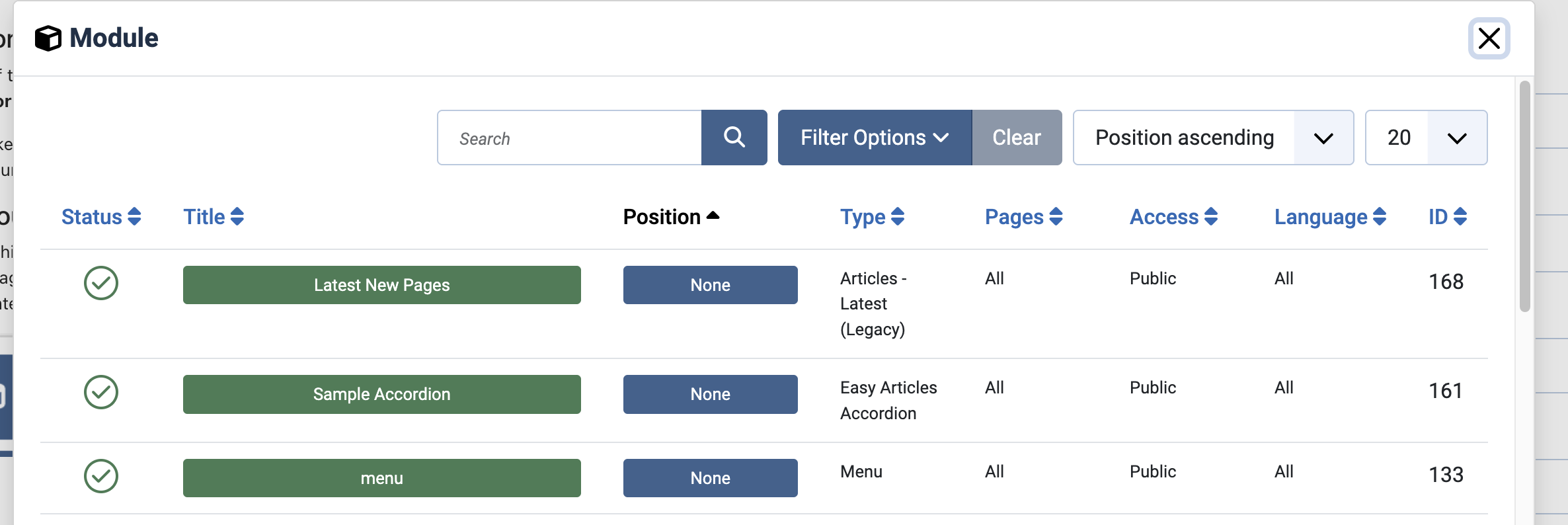
When you do this, a shortcode will be added the article page as below:
{loadmoduleid module_number}
Now, once saved, when a visitor opens the page where you added the module shortcode, Joomla looks at that text tag, runs the module behind the scenes, and replaces the text code with the actual live module content.
Why Set It to "No Pages"?
If you are dropping a module directly into an article using a shortcode tag, you do not want Joomla trying to display that module in a normal sidebar or template position elsewhere on the site.
If you left the Menu Assignment set to "On all pages" or "Only on the pages selected," Joomla would try to render the module twice—once in its normal template position, and once where you embedded it. Setting the assignment to "No Pages" tells Joomla: “Don't show this module anywhere on its own. Wait until I specifically request it using a text tag inside an article.”
We often use these short codes on your website to display things like accordions, expanding panels of information.